
Running AI Image Generation at Home: A Realistic Guide for 2026

The local AI image scene has changed fast enough that last year's advice is mostly wrong. A card that used to be entry-level now runs models that were datacenter-only, and the software has finally gotten friendly enough that you do not need to be an engineer to make something. Here is what actually works right now, based on what people are running and reporting this month across the community.
Start with the card you have
You do not need a flagship. The community reports this month cover a wide range. An RTX 4090 renders a 1-megapixel image in about five seconds. 50-series cards like the 5070 and 5080 do it in around 25 seconds. People are even running 2K generation on an RTX 3060 with 64GB of system RAM, at roughly 50 seconds per image. One early adopter with an RTX 6000 Pro reported 1024 by 1024 images in a few seconds. The gap between "runs" and "runs well" is narrower than it used to be.
VRAM is the real constraint, and it matters more than raw speed. A 16GB card is a comfortable middle ground for most current models. Below that, you will lean on quantization and CPU offload, which work but add time. If you are shopping, buy more VRAM before more compute. It is the single most common piece of advice in the build threads, and it holds up.
Pick the right model for the job
The field has settled into a few useful camps. Qwen-Image 2.1 is the current open-weight favorite for editing and transparency, and it runs on consumer hardware. Z-Image Turbo is fast and popular for quick drafts. Flux models hold up well for general quality. For anyone who wants maximum freedom with no moderation layer, the "unrestricted" open models like Nanosaur 2 have a dedicated following, though you should know the legal gray areas before you rely on them.
There is no single best model. The right answer is "best for what you are making." Character art, product shots, transparent assets, and stylized illustration all have different winners this month, and the ranking changes every few weeks. The people who thrive learn to match the model to the task rather than searching for one model that does everything, because that model does not exist.
The tooling is the hard part, but it is easier than ever
ComfyUI remains the power tool, and it still intimidates people. The common failure mode is real: newcomers get stuck on the node graph, custom nodes, and model files before their first image. A wave of simpler frontends has sprung up specifically to solve this, wrapping ComfyUI in a desktop app that reduces the process to pick a model, type a prompt, generate.
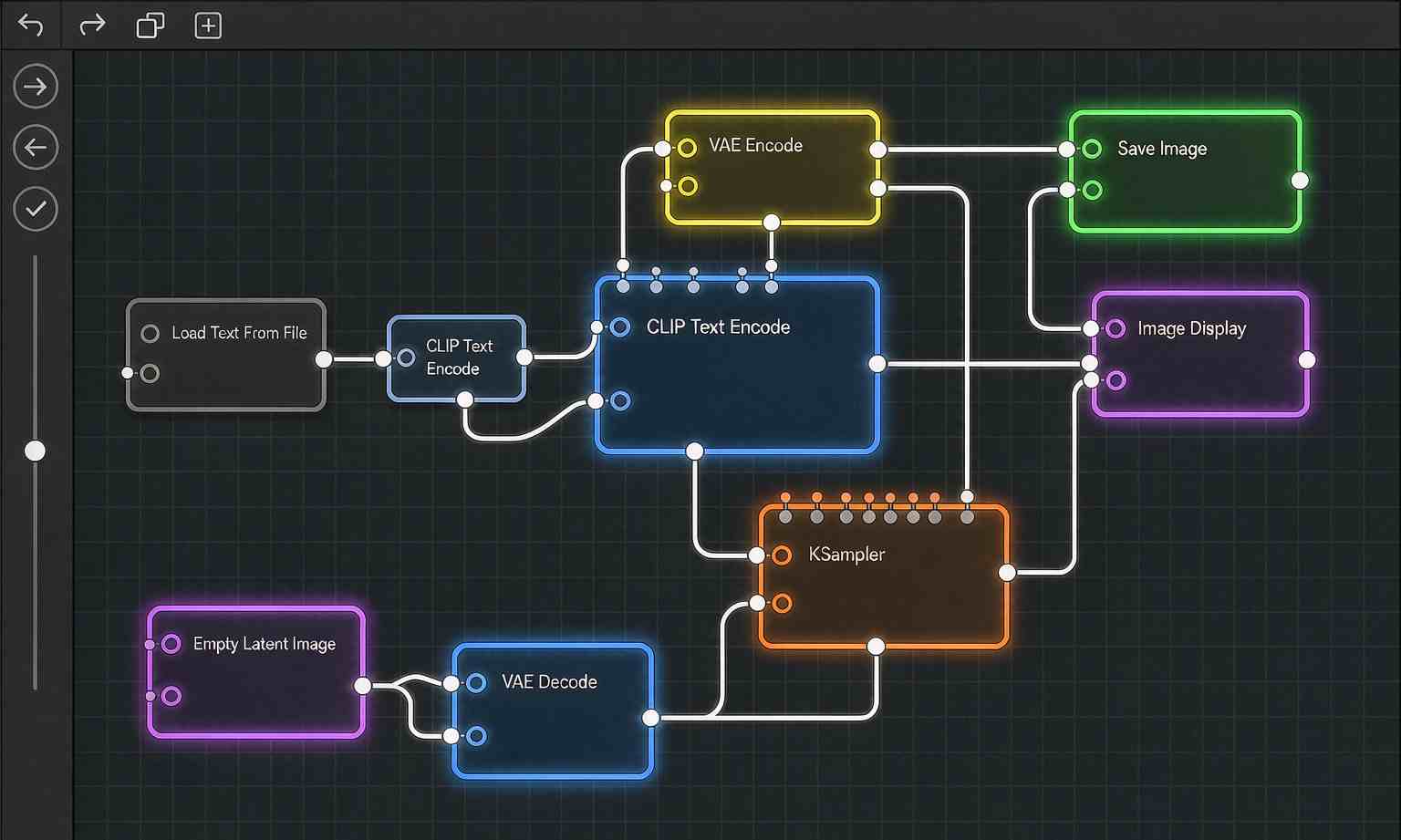
The trade-off is depth. The wrappers get you to your first image fast. ComfyUI gets you to precise control, masking, and inpainting. Most people start with a wrapper and graduate to ComfyUI when they hit a wall. That is a reasonable path, not a compromise, and it is roughly the path the community itself recommends to newcomers.
There is also a steady stream of free educational content now. A university lecture series on building ComfyUI workflows from scratch is circulating this month, and it walks through the whole thing, from your first image to tracing a workflow's stages to loading model files. The barrier is no longer access to information. It is the patience to work through it.
The honest costs
Local generation is not free. You pay in storage for model files, in electricity for long renders, and in maintenance time when an update breaks a workflow. Editing with multiple reference images is consistently slow on consumer cards. And the license situation is shifting under everyone: Qwen-Image 2.1 moved from Apache 2.0 to research-only this month, which matters if you plan to fine-tune or redistribute.
There is also a quiet quality tax. Local open models are often a step behind the closed flagships on the hard stuff, text rendering, complex composition, and edge cases. You will spend more time regenerating and fixing. The people who stick with it accept that trade for the control and the lack of a subscription. If you go in expecting cloud-level polish with zero effort, you will be disappointed.
The community is the real resource
If there is one thing that separates the people who succeed at local generation from the people who give up, it is whether they tap into the community. The knowledge is almost all there, for free, and it is unusually well organized. The r/StableDiffusion subreddit is a running reference of what works and what broke this week. The r/PromptEngineering subreddit is a trove of technique, from how to get a model to respect visual hierarchy to why a well-structured prompt survives model churn.
There is also a steady stream of genuinely free education. A university lecture series this month walks through building a ComfyUI workflow from scratch, chapter by chapter, from your first image to tracing a workflow's stages to loading model files. It is structured like a real course, fourteen lectures long, and it is free. That kind of resource did not exist in the early days, when the knowledge lived in scattered forum posts and trial and error.
The practical upshot is that the learning curve, while real, is no longer the barrier it used to be. The barrier is patience. The people who treat it as a semester-long skill rather than a weekend project do fine. The people who expect to be generating masterpieces an hour after installing are the ones who bounce. The community is happy to help, but it has no patience for people who want the result without the process.
A note on the cloud alternative
It is worth stating the obvious counterpoint, because the honest guide does not pretend local is always right. The cloud tools are genuinely better at some things, and they are easier in almost every way. You open a browser, type a prompt, and get a polished result. No installs, no model files, no dependency breakage. For people who generate a handful of images a week, the subscription is probably cheaper than the time and hardware.
Where local wins is control and volume. If you generate a lot, the subscription cost adds up. If you need a specific style or a specific model, the cloud may not offer it. If you care about privacy or moderation freedom, the cloud is a non-starter. The decision is not "local is better." It is "which trade-off fits your actual use," and that answer is different for a professional illustrator than for someone who wants a novelty avatar once a month.
The smartest users, frankly, run both. They use the cloud for quick, polished results and the local setup for anything that needs control, privacy, or volume. That hybrid is not a compromise. It is the natural end state for most people, and treating local and cloud as a binary choice is the main mistake newcomers make.
Where to begin
Start small. Pick one model, one frontend, and one kind of image you want to make. Get comfortable generating before you add inpainting, masks, and control. The people who burn out are usually the ones who tried to learn the whole node graph on day one. The people who stick with it treat it like any other skill: they make a lot of bad images first, and they learn to stop apologizing for them.
The payoff, once you get over the hump, is real. Full control over your model, no account required, no moderation layer, and no monthly bill. That is why the local scene keeps growing even as the cloud tools get better. For a certain kind of maker, it is not a fallback. It is the point.
Related articles
Twenty New Image Models a Month, and My Prompts Still Work: The Case for Structure-First Prompting
Why structure-first prompts survive model churn, and what to keep versus drop in your prompt library.
Running Image Models on Your Own Hardware in 2026: What the Local Community Is Actually Using
What the local AI image generation community is actually running in 2026: models, tooling, and hardware tiers.
Making an AI Comic Drama Solo: The Complete Workflow from Script to Finished Video
A five-step breakdown of scriptwriting, storyboarding, image generation, voiceover, and editing, with character consistency tips and pitfalls to avoid—making an AI comic drama solo.
Guizang PPT Skill: Make Stunning HTML Slide Decks Right Inside Claude Code
Guizang PPT Skill turns any article into a polished HTML deck—magazine or Swiss style, AI images, presenter tools, install via npx or git clone.