
Guizang PPT Skill: Make Stunning HTML Slide Decks Right Inside Claude Code
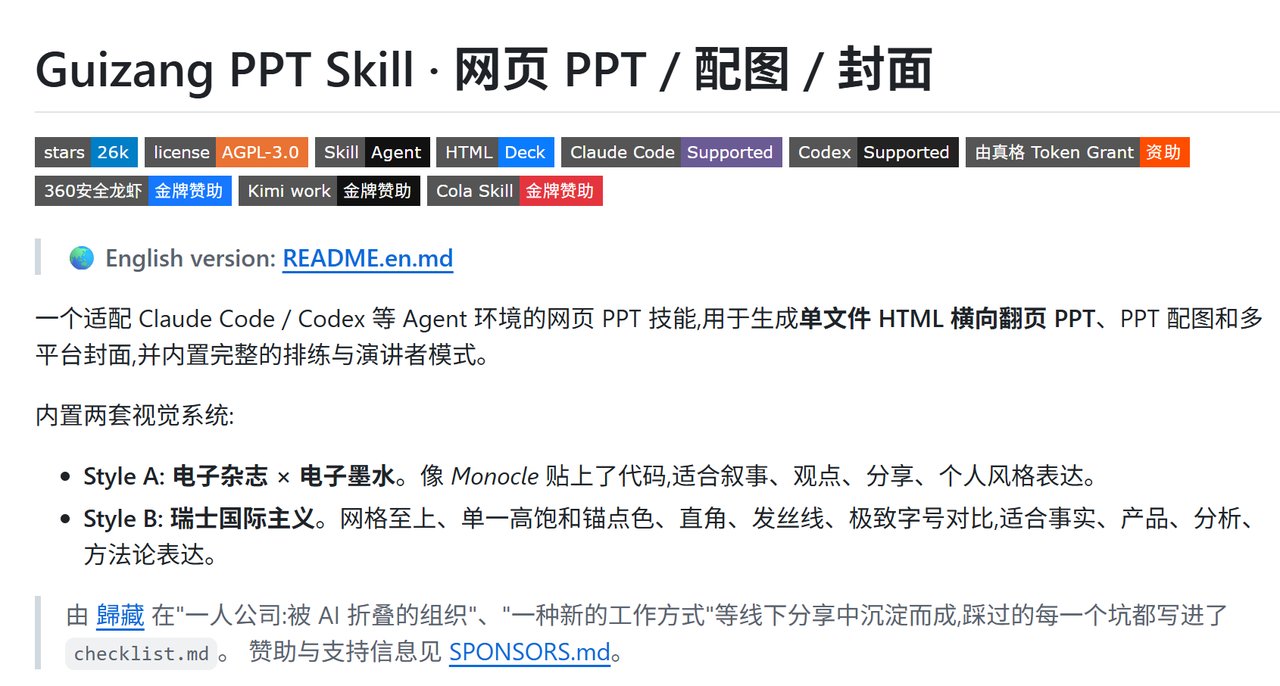
Have you ever wanted to turn a long article, a product analysis, or even a personal essay into a genuinely well-designed slide deck—without opening PowerPoint and wrestling with text boxes? You are not alone. That is exactly the problem Guizang PPT Skill solves. Created by the AI thinker 歸藏 and refined through actual offline talks, this open-source Skill runs inside Claude Code, Codex, and similar agent environments to generate beautiful, single-file HTML presentations. It is not just a toy either: it ships with two distinct visual systems, 22 locked layouts, a full presenter mode, and even optional AI image generation for covers and diagrams.
Why HTML instead of PPTX?
The whole project is built around a simple bet: HTML is the ideal format for AI agents to create slides. Because HTML and CSS are plain text, the agent can read, edit, and validate the file directly. Unlike Markdown slide decks, HTML gives you pixel-level layout control, animations, and responsive design. And unlike PPTX, the final output is a single file you can open in any browser, present, screenshot, or send to a colleague. No build step, no server, no dependency hell.
But the biggest advantage is quality control. The Skill includes validation scripts that check things like layout overflow, alignment, and whether images stay inside their expected slots. That means the AI is not just guessing; it is measuring the real rendered result when Playwright is available.
Two visual styles for different stories
The Skill comes with two style systems. Style A is called “Electronic Magazine × Electronic Ink.” Think Monocle magazine meets a minimalist code aesthetic. It is perfect for narrative, opinions, personal sharing, and anything where personality matters. There are ten flexible layouts for things like chapter openers, data statement pages, image grids, pipelines, and comparisons. You can pick from five ink-inspired themes: Classic Ink, Indigo Porcelain, Forest Ink, Kraft Paper, and Dune.
Style B takes the opposite lane: Swiss International Style. It is all about strict grids, one high-saturation anchor color, right angles, hairline rules, and dramatic type scale. This style is built for facts, products, analysis, and methodology. There are 22 locked layouts, from Cover and Statement to KPI Tower, Loop Diagram, Duo Compare, and Closing Manifesto. Four anchor-color themes are available: Klein Blue, Lemon Yellow, Lemon Green, and Safety Orange. If you ask for a Swiss deck without specifying a color, the agent recommends Klein Blue by default.
This dual system means you do not have to reinvent the design wheel every time. You just say which vibe you want, and the Skill enforces a consistent aesthetic system—including strict rules like no custom hex values, because protecting the design sense matters more than letting anyone freestyle colors.
Getting started in 30 seconds
Installation is refreshingly simple. The recommended one-liner is:
If you prefer to let the AI do everything, paste this into Claude Code, Cursor, or any agent with shell access:
帮我安装 guizang-ppt-skill。请把 https://github.com/op7418/guizang-ppt-skill 克隆到 ~/.claude/skills/guizang-ppt-skill,安装完成后检查 SKILL.md、assets/、references/ 是否存在。
For the manual route, just run:
Once installed, the Skill triggers automatically when you make requests like:
What an actual workflow looks like
The real magic is that the Skill is a structured workflow, not a vague prompt. When you ask for a deck, the agent walks through several steps: choosing the style, clarifying requirements through a seven-question list, copying the right template from assets/template.html or assets/template-swiss.html, filling in content from a rhythm table, optionally generating images, creating speaker notes, running validation checks, and previewing the deck in a browser.
A typical request could be: “帮我把这个产品分析文档做成电子杂志风 PPT,重点突出观点和叙事节奏。” The agent will then produce a single-file HTML deck with the magazine template, complete with page transitions, theme colors, speaker notes, and the presenter runtime built in.
Presenter mode that is actually useful
One surprisingly deep feature is the built-in presenter mode. Click P in the bottom-right corner and the deck opens a dedicated presenter view while a clean audience window opens in another tab. You get a live 16:9 preview of the current and next slide, structured notes with purpose and talking points, timers for elapsed time and overall pace, and a rehearsal mode that records actual time-per-page locally. There are also practical tools like a laser pointer, a drawing highlighter, and one-click black or white screen. If the internet cuts out, none of this breaks—it is all local HTML and browser APIs, not a cloud service.
AI-generated images and cover art
Inside Codex, the Skill can tap into GPT-Image 2.0 / GPT-M 2.0 to generate documentary-style photos, infographics, flowcharts, system diagrams, and UI mockups. The key rule is that images are embedded assets, not standalone posters—so they should not carry their own footers, titles, or decorative borders. The Skill also knows how to redesign messy screenshots into clean presentation assets using the included background library, which is a lifesaver when you need consistent visuals without rebuilding every slide manually.
Beyond slides, the same visual system extends to social covers. You can generate a WeChat public account hero image at 21:9, a share card at 1:1, a Xiaohongshu cover at 3:4, or a horizontal video cover at 16:9—all matching the deck’s theme color and typography.
When to use it (and when not to)
Guizang PPT Skill shines for offline talks, internal presentations, AI product launches, demo days, and any speech with a strong personal voice. It is not ideal for dense spreadsheet dashboards, training courseware, or decks that need heavy real-time collaboration, because the output is a static HTML file by design.
The project’s design philosophy is refreshing: restraint over flashiness, structure over decoration, and images as first-class citizens with stable aspect ratios. You can press B to disable WebGL/canvas animations and drop into a low-performance static mode if your machine struggles.
Where to go from here
Guizang PPT Skill is an open-source project with an active roadmap, including more case studies, more Swiss validation rules, and expanded cover specs. If you have ever wished your AI assistant could just make the slides, this is a solid tool to try today. Install it with the npx command above, give the agent an article, and watch it generate a polished HTML deck that you can present straight from the browser.
Related articles
Why AI Video Still Breaks on Hands and Faces, and the Order That Fixes It
Catching a broken thumb in a still costs one image edit. Catching it after a video run costs a re-run.
Comfy API Turns a ComfyUI Workflow Into a Production Endpoint
Building a workflow was never the hard part. Shipping it was, which is why a small team could not turn an internal ComfyUI tool into a product until now.
Running AI Image Generation at Home: A Realistic Guide for 2026
Local AI image generation finally works on ordinary hardware. Here is the realistic 2026 guide: cards, models, tooling, and the costs nobody mentions.
Twenty New Image Models a Month, and My Prompts Still Work: The Case for Structure-First Prompting
Why structure-first prompts survive model churn, and what to keep versus drop in your prompt library.