
Ink Figures Drawn by Code, Sharp at Any Size, No Diffusion Model Involved
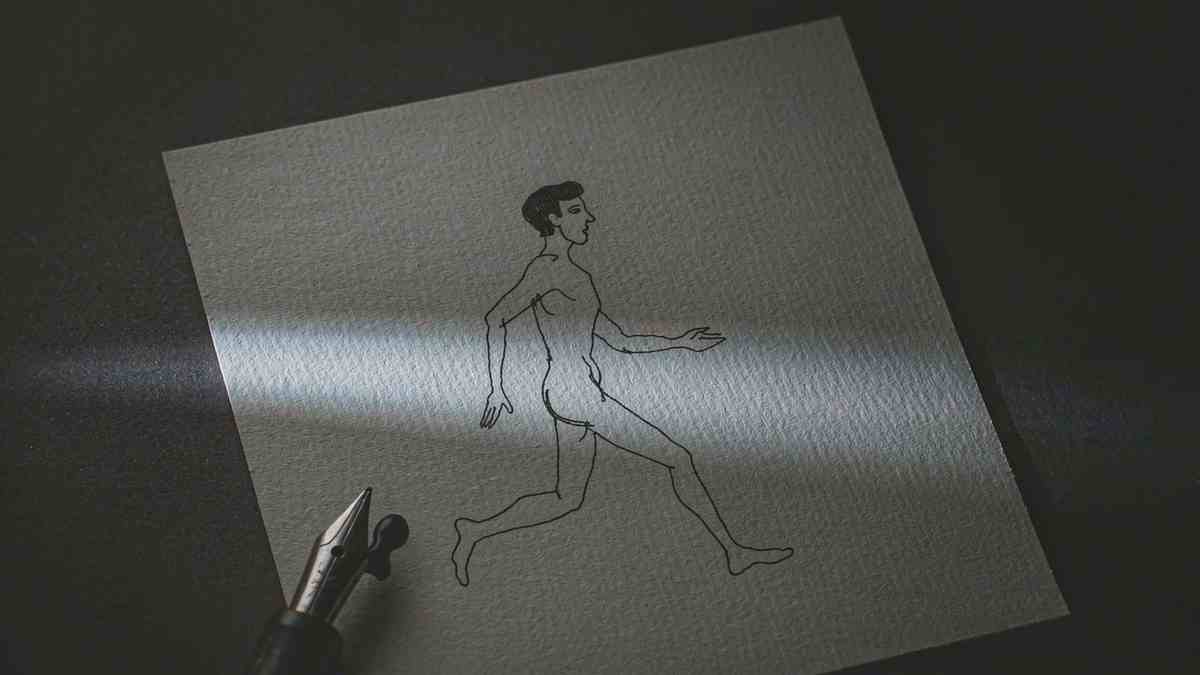
There is a fork in the road for anyone making animated illustration with AI right now, and almost everyone takes the same branch. You describe a scene, a diffusion model samples frames, and you get video. It looks expensive. It is also uneditable, non-deterministic, and stuck at whatever resolution the model was trained on.
line-art-animation takes the other branch. It is a Claude skill plus a small TypeScript library that draws ink-on-paper figures live in SVG. Figures walk, ride bicycles, tip their hats. Scenes run from late afternoon to night. Nothing is sampled, every frame is computed, and the output is vector, so it stays sharp at any size and can respond to the pointer.
The repository is worth reading for the same reason a good pencil drawing is worth looking at: the constraint is doing the work.
What is actually in the repo
Four dependency-free TypeScript modules, each with one job.
ink.ts holds drawing primitives. gait.ts is a walk and run solver, which is the part that decides where a knee goes at a given phase of a step. motion.ts covers springs, pendulums and wind. daynight.ts is a time-of-day palette.
Two examples ship with it. examples/walker is one figure in about 150 lines: a man with a briefcase walks across the card, and if you click him he tips his hat. That is the smallest complete thing in the repo, and it is the right place to start reading.
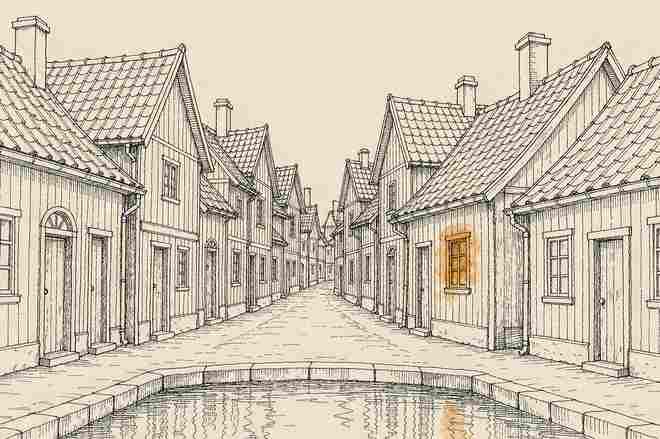
examples/village is the full scene. A street of machiya, a tea house and a bath house by a canal, villagers on schedules, a cat, birds, a boatman, lit windows and reflections, and about a dozen interactions. Drag the sun or moon across the sky and the whole scene shifts time. Move the pointer and wind picks up. Click people, windows, lanterns, the wind chime, the cat, the birds, the water.
There is also a scripts/ directory with deterministic frame capture for video output and tools for measuring a reference clip. That second one is the quiet enabler: you can point the skill at an existing clip and ask it to match the walk.
Installing it as a skill
For Claude Code, clone into your skills folder:
git clone https://github.com/JDhruv14/line-art-animation ~/.claude/skills/line-art-animationOr into .claude/skills/ inside a single project if you want it scoped. Then ask for what you want:
- "Make a line art animation of a bakery at dawn: a baker carrying trays, steam from the oven, a cat in the window." - "Turn this clip into a looping line-art component, matching its walk exactly." Attach or link the clip. - "Add a day-night cycle to the scene and render a 30-second 1080p video."
What happens next is the part I would copy if I were writing a skill. Claude reads SKILL.md, copies lib/ into your project, shows one figure for approval before building the rest, and checks motion frame by frame before handing over. One figure, approval, then scale. That ordering is a design decision about failure cost: a wrong style caught at one figure costs a minute, and caught at a finished street costs an afternoon.
Running the examples needs Node 22.18 or newer:
npm install
npm run dev        # http://localhost:5173
There are URL flags for the scene, which exist because they were needed during development and were kept: ?start=0.9 sets the starting time where 0 is midnight and 0.5 is noon, ?tau=0.5 pins it, ?day=30 makes a full day last thirty seconds, and ?debug steps time by hand. npm run typecheck is strict for lib/ and the walker.
Why the opposite branch
Compare the properties, because they are almost perfectly inverted.
A generated video clip is expensive per second, uneditable after the fact, different every run, and fixed at a resolution. You cannot ask it to make the lantern a little brighter without regenerating. You cannot make it respond to a mouse.
A line-art SVG component is a few kilobytes, editable in code, identical on every run, and resolution-independent. You can change the lantern's opacity in one place. It can react to the pointer because it is a live scene, not a recording.
The cost is scope. This library draws one visual language: ink on paper, figures with thin outlines, scenes built from simple shapes. It cannot draw a face with pores. It cannot draw water that looks like water in the photographic sense; it draws water as a set of lines that say water. If your brief is a photoreal product shot, this repo is not for you and does not pretend to be.
Within its language, though, it does something diffusion models still struggle with. It produces consistent characters across scenes, because a villager is a function, not a sample. It produces repeatable motion, because a gait is solved, not invented. And it produces output you can diff in git.
The gait solver is the interesting part
Most of the visual credibility sits in gait.ts, and the README is right to lead with it.
Walking is a phase problem. At any moment each leg is in stance or swing, the hips are oscillating vertically and laterally, the arms are counter-swinging, and the timing between those things is what makes a walk read as a walk rather than as a puppet being dragged. Get the phase relationships wrong and no amount of shading saves it. Get them right and a stick figure looks like it has weight.
The same applies at scene level. motion.ts handles springs, pendulums and wind, which is what makes a wind chime move when the pointer crosses it and makes a boat bob at the right frequency. None of that is generated. All of it is computed from a small number of parameters, which is why the scene stays coherent when time jumps.
That is the trade in one sentence: a diffusion model gives you range and takes away control, and this gives you control and takes away range.
Where it is actually useful
Three places, from my reading of the examples.
Editorial illustration that needs to move. A 15-second loop on a blog post or a landing page, drawn in a consistent style, exported small. A generated video would be 2 MB and slightly wrong every time.
Explainers where the diagram has to match the narration exactly. Because motion is deterministic, you can time a specific event to a specific beat. The bakery example is doing this: steam, trays, a cat, each on its own schedule.
Anything that has to live in a UI. An SVG component that responds to hover and screen size is a different object from an MP4, and design systems have no place to put the latter.
The 30-second 1080p render is there for the cases where you do need a file. Deterministic capture means you get the same frames every run, which is a small miracle if you have ever tried to re-export a generated clip and match a cut.
The short version
This is a narrow tool that is extremely good inside its narrowness, and the README does not oversell it. It says line art, it shows line art, and the examples are line art, including a village at night with lit windows and reflections in a canal, which is the sort of detail that only appears when someone cared about the result.
What stands out, for anyone watching the AI animation space, is that it exists at all. The default assumption in 2026 is that animation is a generation problem. This repo treats it as a drawing problem and solves it with a gait solver, four modules and a palette. For a street at dusk with lit windows and reflections in a canal, that turns out to be enough to make something people would leave on a page.
Two constraints before you clone it. It draws one style, and it will not stretch to a second one without new modules. And the approval loop exists for a reason: ask for the whole village first and you will spend the afternoon fixing a style you did not want.
Related articles
The Jensen Discount: What Nvidia Loses When Its Founder Walks Out
Nvidia lost roughly $600 billion in market value when its founder stepped down. The earnings did not change. The multiple did, and that says where the value really lived.
Chinese text in video always turns to mush. Dreamina handed the typesetting to code
Dreamina launched Motion Studio on November 10. It no longer generates frames; the model writes code that lays out text, shapes and pacing. Chinese titles stop blurring, but whether the content is right is still on you.
A community spreadsheet of taps that turns off the ads inside Chinese Android builds
A no-root tool that switches off the ads Chinese phone makers ship inside the system UI. Its method is a hand-written tap script per phone model, maintained by volunteers every time a ROM moves. It works, and the maintenance is the point.
GPT Image 2.6 held the token price and raised the bill
GPT Image 2.6 kept every token rate from 2.5 and still costs more per image, because more of the work now happens in output tokens. Eleven days into the ramp, the pricing structure says more than the leaderboard does.