
Google's Flow Tools Turn One Phone Take Into Five Camera Angles
On November 12, Google added five tools to Flow, its video generation product. Each was built with artists, which is the kind of credit that usually means a prompt library with a nicer interface. Four of them are close to that description. The fifth is a different kind of thing.
The list: Character Poster, which composes a poster around a character. Character Arc, which shows the same character at different ages. Pixel Machine, which renders in bitmap, ASCII, CRT, pixel art, and glitch styles. Lucid Glass, which builds prisms, halos, and refractions. And Pocket Studio, which takes a single take shot on a phone and opens it into several camera angles while keeping the actor's performance.
The one that matters
Pocket Studio is the only item on that list that changes a production decision rather than a look.
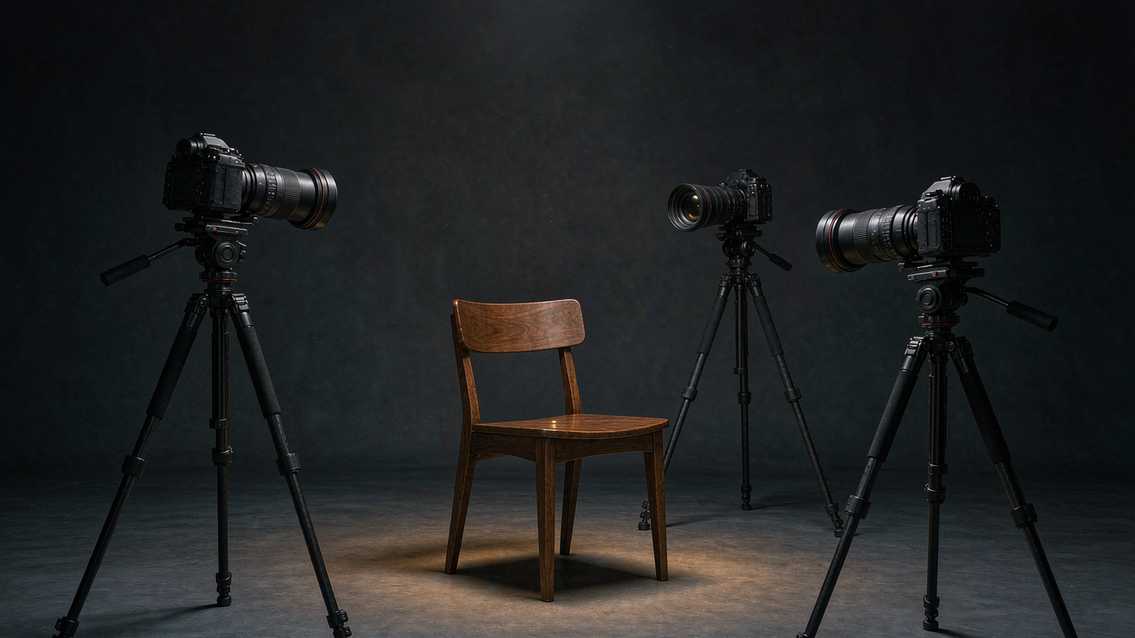
Coverage is the oldest constraint in filmmaking. You shoot a scene from a wide, a medium, and a close, plus whatever inserts the edit needs, because you cannot know in advance which angle will cut together. That is why a two-person conversation takes a day. Every setup costs a lighting reset and a camera move, and the conversation is not the long part.
A tool that generates new angles from one take attacks the cost directly. Shoot once, from the angle you can afford, and manufacture the rest afterward. For anyone making content at volume, that is the difference between one setup and four.
The phrase that carries the weight is "keeping the actor's performance". A generated angle that invents a new performance is useless, because the two shots will not cut. The angle has to be a new viewpoint on the same moment, with the same blink at the same timecode, the same hand moving at the same speed. Google's claim is that it does this. The claim is testable in about ten minutes by anyone with a phone and a face.
What the other four are for
Character Arc is the second most interesting, for a reason that has nothing to do with quality. Continuity across time is one of the things generative video is worst at, and it is one of the things narrative work needs most. A story that spans twenty years needs the same face at eight, at thirty, and at fifty, and it needs the audience to believe all three are the same person. Doing that with casting and makeup is a solved craft. Doing it with a model has been an unstable mess, because each generation drifts.
A tool that holds identity across ages is really a tool that holds identity, with age as one parameter. The same capability is what makes a series possible, where a character has to look like themselves in episode nine as they did in episode one.
Pixel Machine and Lucid Glass are style engines. Pixel Machine covers a set of looks that have a real audience: retro game aesthetics, terminal text, CRT scanlines, glitch. Lucid Glass covers the prism and refraction look that shows up in music videos and title sequences. Neither is technically novel. Both are conveniences, and conveniences are what make a browser tool usable by people who do not want to learn a compositor.
Character Poster is the odd one out, because it produces a still from a video tool. That makes sense commercially. A poster is the thing a client asks for after the video is approved, and if the tool can make it from the same character asset, the job stays in one place.
The strategy under the feature list
Flow's problem has never been generation quality. It has been that the models live in a browser tab while the work lives in an editor, and every job involves an export.
Adding tools that produce assets adjacent to the video (posters, aged characters, title treatments) is a way of keeping the job inside the tab. It is the same move Adobe made by putting partner video models into Premiere, run in the opposite direction. Adobe pulls generation into the editor. Google pushes pre-production and post-production into the generator.
Both are betting that the winning product is the one where the most decisions happen, not the one with the best model. That bet is looking better every week, as the gap between top video models narrows into single digits on public leaderboards and price becomes the visible differentiator.
The claims Google did not make
There is no published resolution for Pocket Studio output, no count of how many angles one take can produce, and no statement about how far the virtual camera can move before the result stops being plausible. Those three numbers decide whether the tool is a previsualization aid or a substitute for a second camera.
There is also no statement about what happens to the background. A new angle implies new geometry behind the subject, and the model has to invent a room it only saw from one side. In a controlled set that is easy. In a real location with windows, mirrors, and printed text, it is where these tools usually fall apart.
And nothing was said about performance. The four other tools are one-shot renders. Pocket Studio implies several angle renders from one source, and the cost per angle is the difference between a tool you use on a client job and a tool you use on a test.
How I would test it this week
Shoot thirty seconds of someone talking, handheld, in a room with a window and something with text in the background. Feed it in. Ask for a wide, a profile, and a low angle.
Then look at three things in this order. Whether the blink timing survives, because a mismatch there is the tell that the performance was re-generated rather than re-viewed. Whether the text in the background still says what it said, because invented signage is the most common failure in synthesised geometry. And whether the light on the face stays consistent with the window, because a new camera angle that keeps the old lighting is a composite, not a shot.
If all three hold, the coverage problem in low-budget production just got cheaper by a wide margin, and a lot of two-camera shoots become one-camera shoots with a render queue. If they do not, Pocket Studio is a storyboard tool, which is still useful and a much smaller claim.
The part that will decide adoption
Coverage is a scheduling problem as much as a camera one, and scheduling problems get solved by whoever owns the calendar.
On a commercial shoot, the second camera exists because the client may want a different cut. On a self-funded project, the second camera does not exist at all, and the edit is built around whatever got captured. Pocket Studio is aimed at that second group, and the group is enormous: podcasters, course creators, small brand teams, anyone who shoots a talking head alone with a phone on a tripod.
For those users, the honest baseline is one locked-off shot with a jump cut every twelve seconds to hide the edits, not a two-camera setup. If generated angles are even roughly plausible, they beat a jump cut, and the bar for "plausible" drops when the alternative is visibly worse.
That is why I would not judge this tool against a Netflix drama. Judge it against the thing it replaces, which is a static frame and a hard cut. By that standard, a slightly imperfect second angle is already an improvement, and the failure mode people should worry about is different: every creator's video starts looking the same, shot from the same invented three-quarter angle, because the model has one idea of what a second camera looks like.
Related articles
The Jensen Discount: What Nvidia Loses When Its Founder Walks Out
Nvidia lost roughly $600 billion in market value when its founder stepped down. The earnings did not change. The multiple did, and that says where the value really lived.
Chinese text in video always turns to mush. Dreamina handed the typesetting to code
Dreamina launched Motion Studio on November 10. It no longer generates frames; the model writes code that lays out text, shapes and pacing. Chinese titles stop blurring, but whether the content is right is still on you.
A community spreadsheet of taps that turns off the ads inside Chinese Android builds
A no-root tool that switches off the ads Chinese phone makers ship inside the system UI. Its method is a hand-written tap script per phone model, maintained by volunteers every time a ROM moves. It works, and the maintenance is the point.
GPT Image 2.6 held the token price and raised the bill
GPT Image 2.6 kept every token rate from 2.5 and still costs more per image, because more of the work now happens in output tokens. Eleven days into the ramp, the pricing structure says more than the leaderboard does.