
agent-desktop Reads the Accessibility Tree, Not the Screenshot

Every screenshot-based computer-use agent is running the same expensive loop. Take a picture of the screen. Ask a vision model where the button is. Convert the answer into pixel coordinates. Click. Take another picture to find out whether anything happened.
It works, in the way that OCR works: impressively, and never quite reliably enough to leave alone. The failure modes are all variations on one theme, which is that a picture of a user interface is a lossy representation of a user interface.
agent-desktop, released by Vercel Labs and sitting at roughly 23,300 stars with about 5,400 added in the past week, takes the other route. It does not look at the screen. It reads the accessibility tree of the target application and returns it as JSON, with a reference for every element the agent can act on. The agent clicks or types on a reference, reads the UI again to check the result, and repeats.
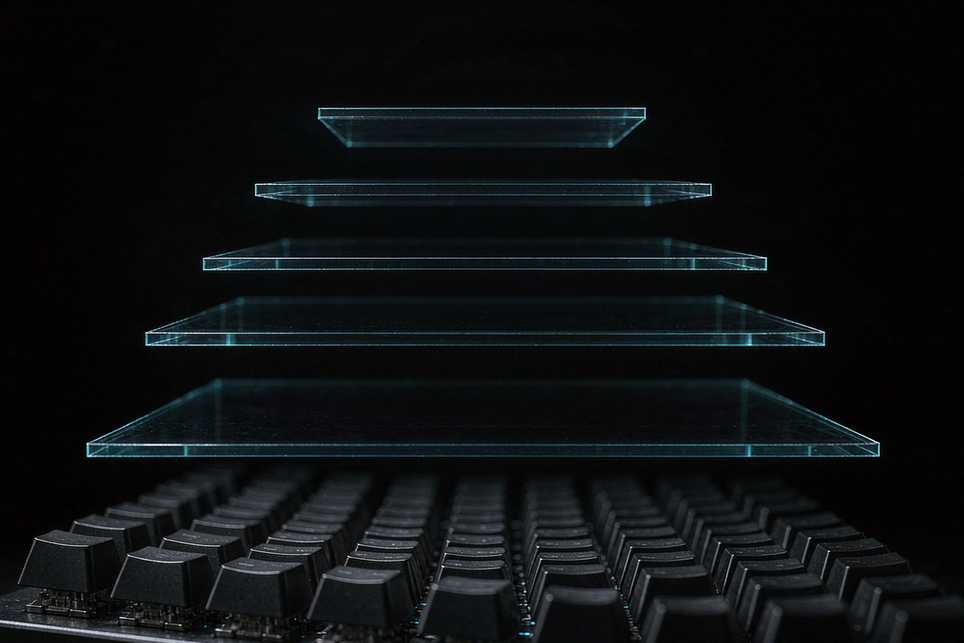
The loop lives in your agent. The binary contains no model.
Install and first contact
The package is a global npm install:
npm install -g agent-desktop
agent-desktop status
status reports platform, permissions and supported surfaces, which is the right first command because computer use fails at the permission step far more often than at the logic step. On macOS the next command is agent-desktop permissions --guide, which walks through the Accessibility grant. Homebrew works on macOS and Linux as well. Bun, Yarn and pnpm install the same package; native binaries for x64 and ARM64 are bundled.
The three-command loop looks like this:
agent-desktop snapshot --app Finder -i
agent-desktop click @s8f3k2p9:e8
agent-desktop snapshot --app Finder -i
The -i flag limits the snapshot to interactive elements. The click takes a reference from that specific snapshot. The second snapshot is not optional housekeeping; it is how you find out whether the click did what you think it did.
The design decisions that matter
Four choices in this tool are worth understanding before you build anything on it.
References belong to their snapshot. A bare @e8 is rejected with INVALID_ARGS. If the interface changes between observation and action, the action returns STALE_REF or AMBIGUOUS_TARGET, and the correct response is to take a new snapshot and use its references. This is stricter than most automation tools and it eliminates a whole class of silent misclicks.
Dense applications get a two-stage inspection path. For something like Slack, the documented approach is snapshot --skeleton --app Slack -i --compact to map the application, then snapshot --root @s8f3k2p9:e3 -i --compact to drill into one region. Without that, a full tree of a complex app is a lot of JSON for an agent to hold.
It is headless by default. Reference-based actions go through the accessibility API without moving the pointer or stealing focus, so the machine stays usable while the agent works. The global --headed flag switches to physical input, which you want when the application checks for real events and not otherwise.
Secrets can stay out of process arguments. type, set-value and clipboard-set accept --stdin for piped text. Since command-line arguments are visible in process listings, this is the difference between a password that appears in ps output and one that does not. The README's advice is to run secret steps as separate commands, since batched JSON text reappears in the argument list.
There is a PowerShell footnote that will save somebody an hour: quote every reference, because a bare @token is the splatting operator.
What the platform layer actually is
Under the CLI there is a C library, and under both is the same core. Each binary is compiled for one operating system and talks to that system's accessibility API: the AX API on macOS, UI Automation on Windows, AT-SPI on Linux. The core reaches the OS only through a PlatformAdapter trait, which is why one codebase can present a single JSON envelope across three very different accessibility models.
That architecture also explains the tool's ceiling. It can only act on what the accessibility tree exposes. Applications that draw their own interface onto a canvas and expose nothing will be invisible or nearly so, no matter how good the adapter is. Screenshot-based agents handle those. Reference-based agents cannot. The trade is accuracy on well-built apps against coverage of badly-built ones.
A worked comparison
Consider a small task that screenshot agents handle badly: renaming twelve files in a desktop file manager.
A screenshot agent looks at the window, identifies twelve filename labels, and produces twelve coordinate pairs. It clicks the first, selects the text, types a new name, presses enter, and waits for the list to re-sort. Every subsequent coordinate is now stale, because the list order changed. The agent has to re-observe after each rename, which is twelve vision calls and twelve chances to click the wrong row.
The reference-based approach observes once. The snapshot returns the tree of the window with a reference for each row, plus a snapshot id. Each rename is an action on a specific reference, and after each action the agent re-reads the tree to confirm the new name appeared. If the list re-sorts, the references from the original snapshot go stale and the tool says so, which is exactly the behaviour you want: a fast, explicit failure rather than a silent action on the wrong file.
The difference in reliability comes from where the structure is computed. In the first case, a model reconstructs a file list from pixels and is wrong some of the time. In the second, the operating system reports the file list it already maintains, and is wrong approximately never.
The security note is not boilerplate
The README carries a warning that deserves to be quoted rather than paraphrased: snapshots, clipboard reads, screenshots, command output and debug artifacts can contain private desktop content, and should be kept out of public logs and uploads.
That is a real hazard and a new one. A screenshot-based agent leaks pixels. A tree-based agent leaks structured text, which is far easier to index, search and accidentally commit. If you are logging agent trajectories for debugging, you are logging whatever was on the screen at the time, in a format a grep will find.
The part that will age well
Vercel Labs has now shipped two of these: agent-browser for the web, agent-desktop for local applications, both in Rust, both trending in the same week. The pattern they share is a refusal to make the model do work the operating system already did.
That is the useful idea here, more than any particular command. A vision model reading a screenshot is inferring a structure that already exists in an accessibility tree, and paying for the inference in latency, tokens and error rate. Reading the tree costs nothing and returns something the agent can verify.
The agents that end up in production will not be the ones with the best eyesight. They will be the ones that stopped needing to look.
Related articles
Google replaced the model behind Search, and the number that moved was a shell benchmark
Gemini 4 Hydrogen became the default on 12 November, taking over from Gemini 3.8 Flash across Search, the Gemini app and the developer API. It runs about 2.5 times faster, scores 57% on Terminal-Bench 4.1 where its predecessor scored 18.2%, and costs $1.50 in and $7.50 out per million tokens.
Three ways a coding agent wastes money, measured on 30 repositories
TokenEconomizer watches what an agent did in a repository you work in often, then stops it from rediscovering the same build command, loading tools it never uses and looping on one error. Across five agent and model combinations it cut mean cost by 18.4% to 30.9%, cheaper in all 30 repository cells, with Pass@1 up in four of five.
earshot gives coding agents 922 sounds, and every one is rendered from code
An agent can write a game, an interface or a film and never hear any of it. earshot answers requests like "three variations of a footstep on gravel" from a catalogue of 922 designs built from public-domain recordings, with no audio files in the repository at all. It runs on CPU, as a CLI, a Python package, an MCP server and a Claude Code plugin.
The agents stealing API keys were not sophisticated. The gateways were open.
Amazon's decoy servers spent October posing as inference APIs and logged agents built on ARTEX pulling provider keys out of LiteLLM, Dify, Langflow and Open WebUI. The way in was a default master key and a half-finished install. ARTEX itself ships with budgets, scope gates and evidence for every finding.