
73K Stars and Zero API Keys: The Video Studio That Lives Inside Your Coding Agent
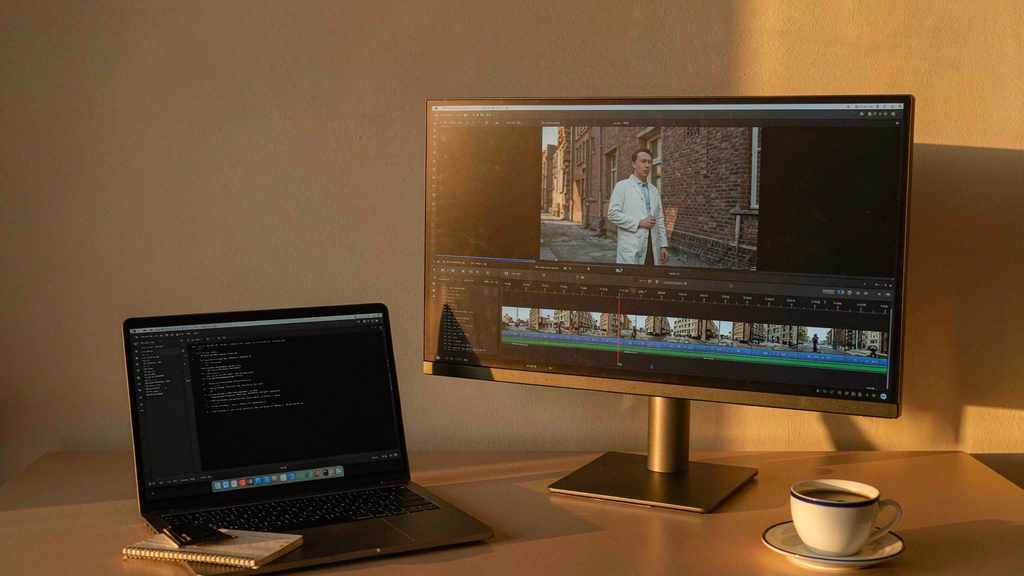
OpenMontage has 73.6K stars, an AGPL-3.0 license, and a README that opens with a promise most "free AI video" projects quietly avoid: it can cut a finished video from real motion footage, not just animate a stack of stills.
That distinction sounds like marketing until you've used the other kind. The usual free pipeline generates six images, pans across them with a Ken Burns effect, drops a synthetic voice on top, and calls it a video. It looks like a slideshow because it is one. OpenMontage's alternative is to build a corpus from Archive.org, NASA, and Wikimedia Commons, rank clips semantically against the script, and edit them onto a real timeline with FFmpeg.
Both modes are in the box. The existence of the second one is the reason to take the project seriously.
There is no orchestrator
The architectural decision that everything else follows from: OpenMontage does not ship a program that thinks. There's no Python scheduler deciding what happens next. You open the repo folder in Claude Code, Cursor, Copilot, Windsurf, or Codex, and the assistant reads YAML pipeline manifests and Markdown "director skills" and does the deciding itself.
That's a strange thing to call a product, and an obvious thing to call a repo. It means the project is not competing with video editors. It's competing with the blank README that every agent session starts from — it's a very large, very opinionated set of instructions plus a hundred small Python tools that the instructions know how to call.
The numbers in the README, which have been stable across the project's docs: 12 production pipelines, 100+ registered tools, 60+ provider integrations, 700+ agent skill and production-knowledge files.
The pipelines are concrete enough to be useful: animated explainer, animation, avatar spokesperson, cinematic, clip factory, documentary montage, hybrid, localization and dub, podcast repurpose, screen demo, talking head, character animation. Each one is a YAML manifest that lays out stages. The animated explainer, for instance, goes research, script, images, voice, compose, render.
The install is three lines and one honest warning
git clone https://github.com/calesthio/OpenMontage.git
cd OpenMontage
make setup
Prerequisites: Python 3.10+, FFmpeg, Node.js 18+, and a coding agent. That's it. The README also carries a Windows-specific note that deserves credit for being there at all — if npm install fails with ERR_INVALID_ARG_TYPE, use npx --yes npm install. Most repos let you discover that yourself at 1 a.m.
Then you ask for something:
Make a 75-second documentary montage about city life in the rain.
Use real footage only, no narration, elegiac tone, with music.
And the agent starts running stages, pausing at gates.
The zero-key path is the real story
Every capability has a local or open alternative sitting next to the premium API. That sentence appears in the README as a design principle, and the project actually follows through:
Narration runs on Piper TTS, offline. Footage comes from Archive.org, NASA, and Wikimedia Commons — free, and more importantly, footage that exists rather than footage that was invented. Composition runs on Remotion (React) or HyperFrames (HTML/CSS/GSAP); the README says the agent picks between them at proposal time and locks the choice as render_runtime. Post-production is FFmpeg, which is free and has been for twenty years. Subtitles use built-in word-level timing.
So a complete video is possible without a single paid API call. It won't look like a Veo spot. It will look like a competent documentary montage, which is a genre that has never depended on spectacle.
I think this is the most underrated part of the project. The AI video conversation has been stuck on "which model is best" for two years, and the honest answer for a lot of use cases is "you don't need one, you need an editor who can find footage." OpenMontage is the first popular repo to encode that answer as a pipeline.

Backlot: watching the production instead of the prompt
The feature that gets demoed most is Backlot, a local storyboard board that fills itself in while the run proceeds. Stages light up. The script lands as a screenplay page. Scene cards shimmer while assets generate. Provider choices and dollar amounts appear on the wall. A replay lets you scrub a finished production end to end.
It reads like eye candy, and part of it is. But it solves a real problem with agentic creative work: latency is long and invisible. A run that takes eleven minutes with no output is indistinguishable from a run that died at minute two. Backlot is an observability tool wearing a nice coat.
python -m backlot open            # the library, every project on disk
python scripts/backlot_simulate_run.py   # watch a simulated run
The budget gate is the unglamorous feature that matters
Two numbers from the README: a default total spend cap of ten dollars, and a fifty-cent approval threshold per action.
That's it. That's the whole cost-control story, and it's more than most agentic tools offer. The pattern is: the agent estimates before it spends, and anything above fifty cents stops and asks.
Compare that with the default experience of wiring an agent to a video model — you write a loop, the loop calls a generation endpoint forty times, and you find out on the invoice. The fifty-cent threshold is a crude instrument. It's also the difference between a tool you can leave running while you make coffee and a tool you can't.
There are approval gates at every creative step, too: proposal, script, scene plan, generated assets, publishing. Assets pause on a scene-by-scene contact sheet with takes, prompts, per-asset cost, and quality scores. You approve the visuals before the render, not after.
Starting from a reference video
The workflow I'd actually use: paste a YouTube link, a Short, a Reel, a TikTok, or a local clip. The agent analyses transcript, pacing, scenes, keyframes, and style, then comes back with two or three differentiated concepts, an honest tool path, and a cost estimate — before generating anything.
This is the correct order of operations for anyone who has ever been handed a brief that says "make it like this one." It also makes the tool useful to people who can't write prompts, which is most people.
Research is a first-class stage as well. Fifteen to twenty-five searches across YouTube, Reddit, Hacker News, news, and academic sources, cited in a structured brief, before a word of script gets written. Whether the agent does those searches well is a separate question from whether the stage exists. The stage existing is the interesting part — it's the difference between a script about a topic and a script that knows something about the topic.
What to be skeptical about
Seventy-three thousand stars in a few months is a signal, but it's a signal about attention, not quality. Agentic repos in particular tend to accumulate stars from people who read the README and never ran make setup.
The AGPL-3.0 license is the practical blocker if you're a company. Modified versions that you distribute have to be shared under the same terms. Internal use is fine; shipping a product built on a fork is a conversation with legal.
And the honest structural risk with every "agent + skills" project: the skills are Markdown, which means quality depends on the model reading them carefully. A strong model follows the director skill. A weak one skims it and improvises, and you get a video that technically satisfies the pipeline and misses the brief.
The takeaway
OpenMontage is not a video generator. It's a production discipline written down — twelve ways to make a video, each broken into stages, each stage with a tool, a cost, and an approval point. The fact that a coding agent executes it is almost incidental. You could run most of these pipelines by hand.
That's why the zero-key path matters more than the model integrations. The project's real claim is that the hard part of video was never generation. It was knowing what to make next, and stopping before you spend money on the wrong thing.
Related articles
Chinese text in video always turns to mush. Dreamina handed the typesetting to code
Dreamina launched Motion Studio on November 10. It no longer generates frames; the model writes code that lays out text, shapes and pacing. Chinese titles stop blurring, but whether the content is right is still on you.
A community spreadsheet of taps that turns off the ads inside Chinese Android builds
A no-root tool that switches off the ads Chinese phone makers ship inside the system UI. Its method is a hand-written tap script per phone model, maintained by volunteers every time a ROM moves. It works, and the maintenance is the point.
GPT Image 2.6 held the token price and raised the bill
GPT Image 2.6 kept every token rate from 2.5 and still costs more per image, because more of the work now happens in output tokens. Eleven days into the ramp, the pricing structure says more than the leaderboard does.
Someone rebuilt IDM from the outside and wrote down what they did not touch
A Rust reimplementation of Internet Download Manager claims 5x the speed and 86 languages. The more interesting document is the paragraph explaining how it was built without copying anything.