
244 Pixel-Art Effects Shipped as Code, With Sprite Sheets for Godot and Unity
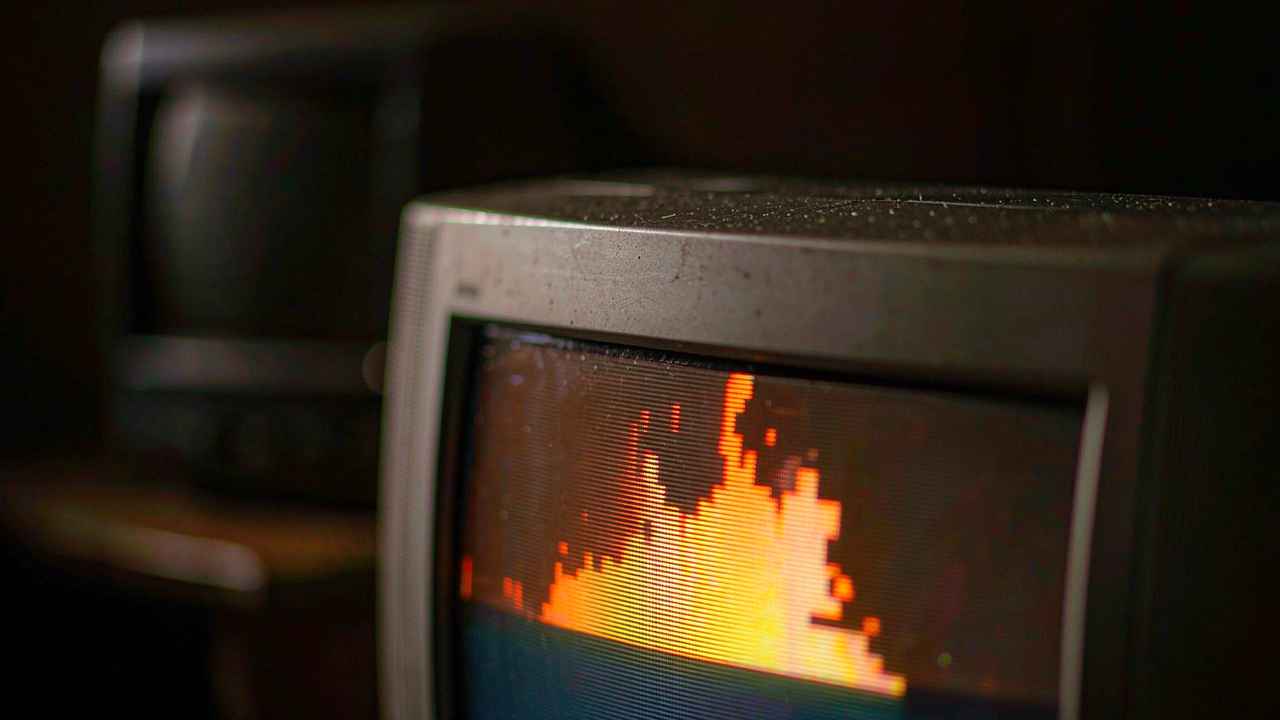
The first thing that's strange about pixelfx is that the effects are code. Not sprites. Not sprite sheets. Small JavaScript files that draw a frame when you hand them a time value.
export const fx = {
  duration: 0.8,
  draw(p, t, o) { /* pixels for second t */ }
}
That design decision cascades into everything else, and it's the reason the library is worth a look even if you have no interest in pixel art. A sprite sheet is a fixed recording of something that happened once. A function is an answer to a question: what does this look like at t = 0.37, with this seed, at this angle, flipped?
Patch's pixelfx ships 244 of them — fire, explosions, water, ice, lightning, sci-fi, melee, hits, projectiles, spawn and death, arcane, holy, shadow, status, nature, weather, UI, pickups, transitions, and critters. Plus twelve complete "moves" that string effects into a rotation from wind-up to recovery: arrow strike, dash slash, ground slam, fireball throw, holy light hit.
MIT licensed. It has been climbing fast since it appeared, and it's the second of this week's coding-agent flavoured creative repos to draw real attention — the first being an image model skill, the second being this.
Two kinds of effect, and why the difference matters
Read the docs and the effects split cleanly in two.
Pure functions. The frame at second t is entirely determined by t. No state, no accumulation, perfectly loopable. Good for anything that has to be scrubbable, or for rendering the same effect on ten machines and getting ten identical results.
Simulations. Particles, debris and light step at 120 Hz. The result depends on frame rate in the same way a physics engine does. Good for anything where the debris should react to what's happening.
Most effects libraries give you one or the other without saying which. Naming the difference is the sort of thing that saves an afternoon three months later when someone asks why the same effect looks different in the trailer.
Underneath both, there's a dual-buffer architecture: a colour buffer for the pixels themselves, and a light buffer for the additive glow layered on top. The heat in a fire effect comes from the second buffer, not from brighter pixels. That's the same trick used in a lot of 2D engines, and it's the reason these effects read as "lit" rather than "coloured in."
Everything is seeded
This is the line that made me take the repo seriously:
All random numbers come from the effect's seed. Frame 40 looks the same every time.
Reproducibility is not a nice-to-have for effects. It's the difference between a bug you can fix and a bug you can't reproduce. If your hit spark looks wrong in one build, a seeded library means you can render frame 12 at seed 4471 and look at it. A library that reseeds on every call means you're staring at a video and guessing.
It also makes the library compatible with a workflow that's become normal this year: have an agent generate an effect, render it, look at the render, fix it, render again. That loop is only meaningful if the render is deterministic. Otherwise the agent is optimising against noise.
Installing and using it
npm i github:patch-gg/pixelfxOr copy src/core plus the effects you want, if you'd rather not take a dependency.
The runtime is dependency-free and works with canvas, Phaser, PixiJS, Kaplay, and three.js:
import { createFrame, clearFrame, createFx, composite } from "pixelfx";
import * as frostNova from "pixelfx/fx/ice/frost-nova";

const frame = createFrame(320, 180);
const fx = createFx(frostNova, { x: 160, y: 140 });

function tick(dt) {
  fx.update(dt);
  clearFrame(frame);
  fx.draw(frame, "back");
  drawCharacters();
  fx.draw(frame, "front");
  composite(frame, img.data, backgroundColor);
  ctx.putImageData(img, 0, 0);
}
Note the "back" and "front" passes. Effects draw behind and in front of the character, which is the difference between a fireball that the character is standing in and a fireball the character is holding.
Options include flip, angle, seed, palette, and light. The palette one is more useful than it sounds:
node tools/render.mjs fire/torch --gif --opts '{"palette": ["#102","#215","#43a","#8cf","#cff","#fff"]}'A dark-to-light hex ramp, passed at render time, turns a torch into a blue flame without touching the source. For a game with elemental variants, that's the whole feature.
Getting it into an engine
Exporting is a two-step, and both steps exist as scripts:
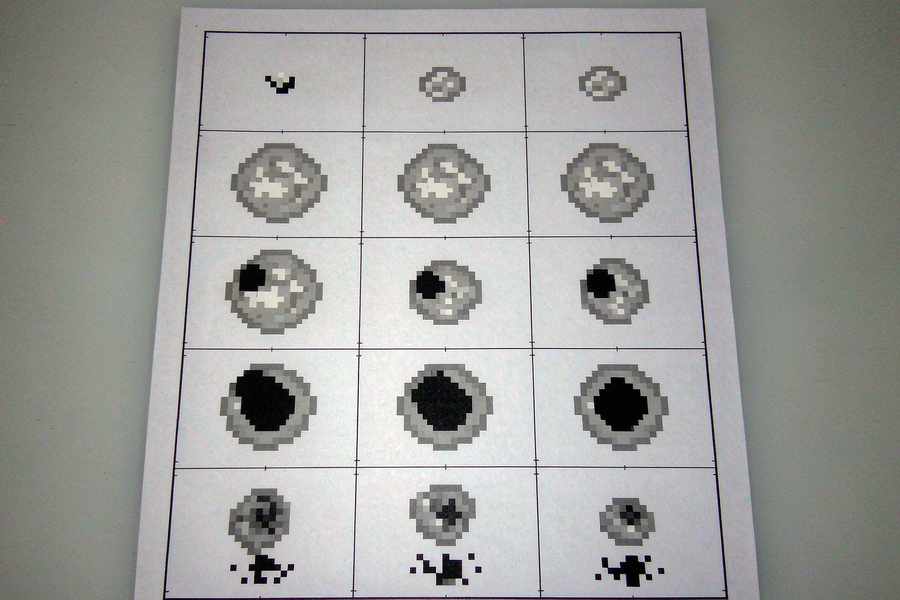
node tools/render.mjs ice/frost-nova --sheet   # one effect: PNG grid + JSON
node tools/sheets.mjs                          # the whole library into sheets/
The JSON is Aseprite-shaped — frame rects, durations, plus a meta.pixelfx block with fps, loop flags, column count, and anchor. That means Godot, Unity, GameMaker, Defold, LÖVE and Bevy all have an existing importer that will read it, and Phaser's atlas loader will take it directly.
Choosing Aseprite's format instead of a custom one is the least glamorous, most correct decision in the repo. Nobody wants to write an importer for your format.
The acting layer
Seventy-three of the effects have character acting baked in: the character winds up, swings, the hit freezes on a snap frame, the target shakes and gets pushed back. The data structure is a list of poses with times, plus hit events:
export const act = {
  target: { x: 58 },
  poses: [
    [-0.55, GUARD],
    [-0.3, WIND_UP],
    [0, CUT, "snap"],
    [0.06, FOLLOW_THROUGH, "snap"],
    [0.86, GUARD],
  ],
  hits: [{ t: 0.06, stop: 0.14, shake: 0.18, amp: 2, push: 2.8, straw: 18 }],
};
Negative times mean the character starts moving before the effect begins, which is how anticipation works. The hits entry carries a freeze duration, shake amplitude, and push distance. Anyone who has hand-tuned a hitstop value knows how much of "game feel" lives in those four numbers.
The stock dummy is a 24×38 grey figure built on a fixed-length 3D skeleton — pelvis, spine, shoulders — rendered in a few flat shades. It's a reference, not art. But it's the right reference, because effects that look good on a rectangle look wrong on a body.
Making your own
The toolkit for authoring is four commands:
node tools/new.mjs arcane/my-spell       # starter template (--loop for loops)
node tools/render.mjs arcane/my-spell    # contact sheet, look at it
node tools/check.mjs arcane/my-spell     # overflow, seams, unseeded randoms, slow frames
node tools/act.mjs arcane/my-spell       # watch the performance at 12fps
check.mjs is the interesting one. It lints an effect for the four ways this kind of code usually breaks: drawing outside its bounds, visible seams at the loop point, random numbers that didn't come from the seed, and frames that are too slow. That's a test suite for art.
There's also a Claude Code plugin, so an agent can author effects against the same lint. The README credits Hugo Duprez's essay on making pixel art effects with Claude for the method: code is clay, trust your eyes, feed the AI references.
The honest caveats
Pixel art is a style, and this library is committed to one. If your game is 3D, or painterly, or uses vector art, most of this is not for you — the value is the architecture, not the assets.
The README's own count has moved (an earlier revision said 299 effects, the current build is 244), which suggests active pruning rather than accumulation. That's usually a good sign, but it does mean any tutorial you find may reference effects that no longer exist.
And the license has one carve-out worth knowing: MIT across the code and effects, except the Patch Pixel font in gallery/fonts, which is the author's own and isn't covered.
What you're really getting is a working answer to a question the generative wave has made urgent: how do you keep authored craft in a pipeline that's increasingly automated? Patch's answer is to make the craft executable — deterministic, lintable, seedable, exportable — so an agent can participate in it without dissolving it into noise.
Related articles
Chinese text in video always turns to mush. Dreamina handed the typesetting to code
Dreamina launched Motion Studio on November 10. It no longer generates frames; the model writes code that lays out text, shapes and pacing. Chinese titles stop blurring, but whether the content is right is still on you.
A community spreadsheet of taps that turns off the ads inside Chinese Android builds
A no-root tool that switches off the ads Chinese phone makers ship inside the system UI. Its method is a hand-written tap script per phone model, maintained by volunteers every time a ROM moves. It works, and the maintenance is the point.
GPT Image 2.6 held the token price and raised the bill
GPT Image 2.6 kept every token rate from 2.5 and still costs more per image, because more of the work now happens in output tokens. Eleven days into the ramp, the pricing structure says more than the leaderboard does.
Someone rebuilt IDM from the outside and wrote down what they did not touch
A Rust reimplementation of Internet Download Manager claims 5x the speed and 86 languages. The more interesting document is the paragraph explaining how it was built without copying anything.